



- Status
- Hardcoded
This Thread had not been rated yet
vMix Pro 25.0.0.34 (x64)
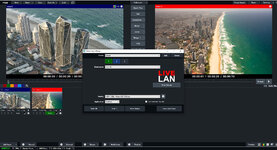
LiveLAN
- New built-in streaming destination in vMix that streams directly to a web page built into the vMix Web Controller
- Can be viewed by most modern browsers and devices including laptops, PCs, smart phones and smart TVs that support HTML5 live streaming.
More Categories
- Up to 16 additional custom category tabs can be added each with its own name and colour.
AJA Capture Card Support
- Added support for latest AJA capture devices including the T-Tap Pro, Corvid 44 12G and Io X3
Presets
- New Preset Bundles, optionally save presets in self contained vmixZip files which will contain media assets like titles, images and videos in a single file, allowing easy transport to new computers.
- Any missing files in a preset can now be located from within a single window
NDI 5
- The latest NDI release is included in vMix 25
Output Input
- New Output input simply adds the current main vMix Output 1 (Program) as an input for use elsewhere.
- This is handy for situations where a different source is needed for Outputs 2-4 or for a Video Call, but with the Program feed still showing as a picture in picture.
- To add the Output input, click the arrow next to Add Input in the main vMix window and click the Output option.
Titles
- Object colors in GT Titles can now be edited in vMix as well as through the API and Data Sources using html color codes.
- This is enabled by unticking "Hidden" under the GT Designer Data tab for any shapes you wish to edit in vMix.
- Added support for coloured emojis in vMix Social titles when using the Segoe UI Emoji font
Other
- vMix now only supports 64-bit versions of Windows.
- New virtual set template included
- New activators for InputAudioAuto, OverlayXAny, BusXSolo and VideoCallSourceOutputX
- New shortcuts OverlayInputXLast and SetColor (for GT object colors)
- Security of web and tcp controllers now further restricted by limiting to the local network by default.
- NDI thumbnails can be optionally turned off via Settings
- When clicking Clear to clear recent items, only those selected will be cleared, if no items selected, all will be cleared as before.
- PowerPoint/Photos inputs now default to adding a black border around photos of different aspect ratios instead of transparent as in previous releases.
This is to ensure smoother transitions, however if you prefer the previous functionality this can be turned off via SlideShow Settings for the input. - Added Key Frame Interval adjustment support for SRT outputs. This now defaults to 2 seconds instead of 1 second in previous releases.
- MultiCorder now hides unsupported inputs by default. These inputs can still be shown manually if required by power users.
- Improved tally light support for various cameras using Sony VISCA over IP
- Added new Barn Door and Roller Door transition effects because why not?
- Video Delay input now defaults to using the vMix Video Codec as the save format as it is the most efficient option.
- Various replay bug fixes
This Thread had not been rated yet


